1.
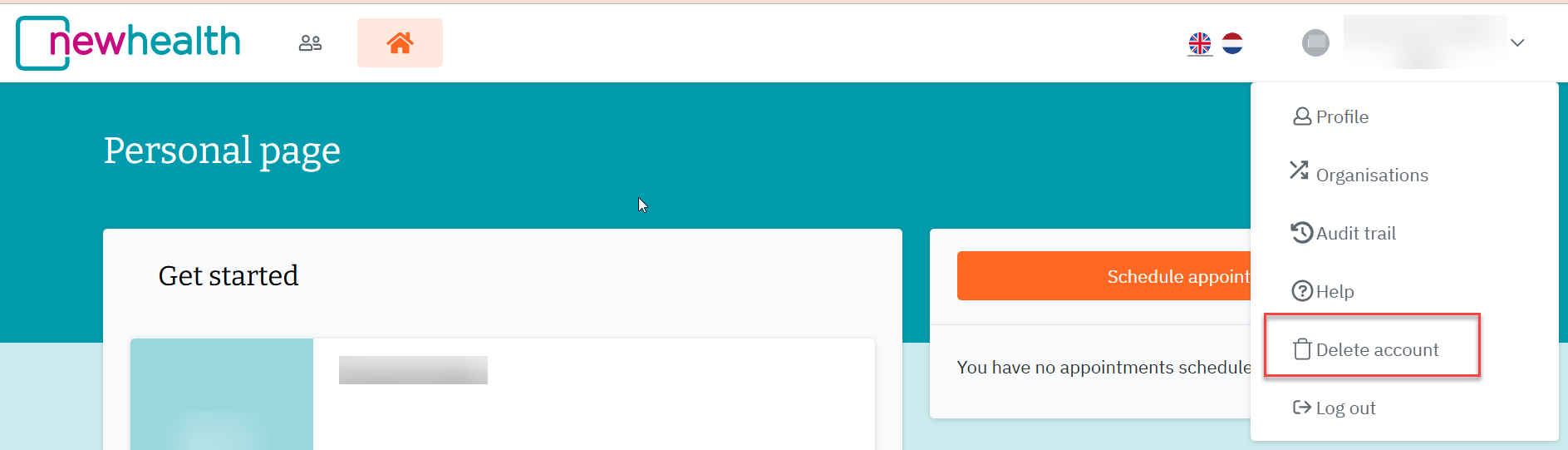
Click on the grey arrow next to your name in the top right-hand corner to access your account details:

2.
Click on the button next to 'Delete account' on the right-hand side.
 3.
3.
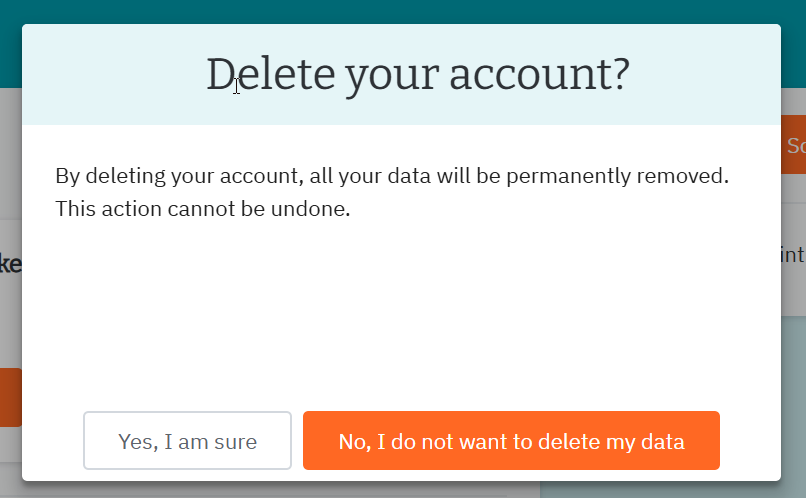
The text appears: 'Delete your account?
4.
You can then click on ‘Yes, I’m sure’. Once you have clicked on the ‘Yes, I’m sure’ button, this action cannot be undone. Your account will be deleted immediately.
5.
Your e-mail address and all content entered in the modules have been removed from our database. Deleting your account is final: it is no longer possible to log in and retrieve previous progress or information.
Was dit artikel nuttig?
Dat is fantastisch!
Hartelijk dank voor uw beoordeling
Sorry dat we u niet konden helpen
Hartelijk dank voor uw beoordeling
Feedback verzonden
We stellen uw moeite op prijs en zullen proberen het artikel te verbeteren