1.
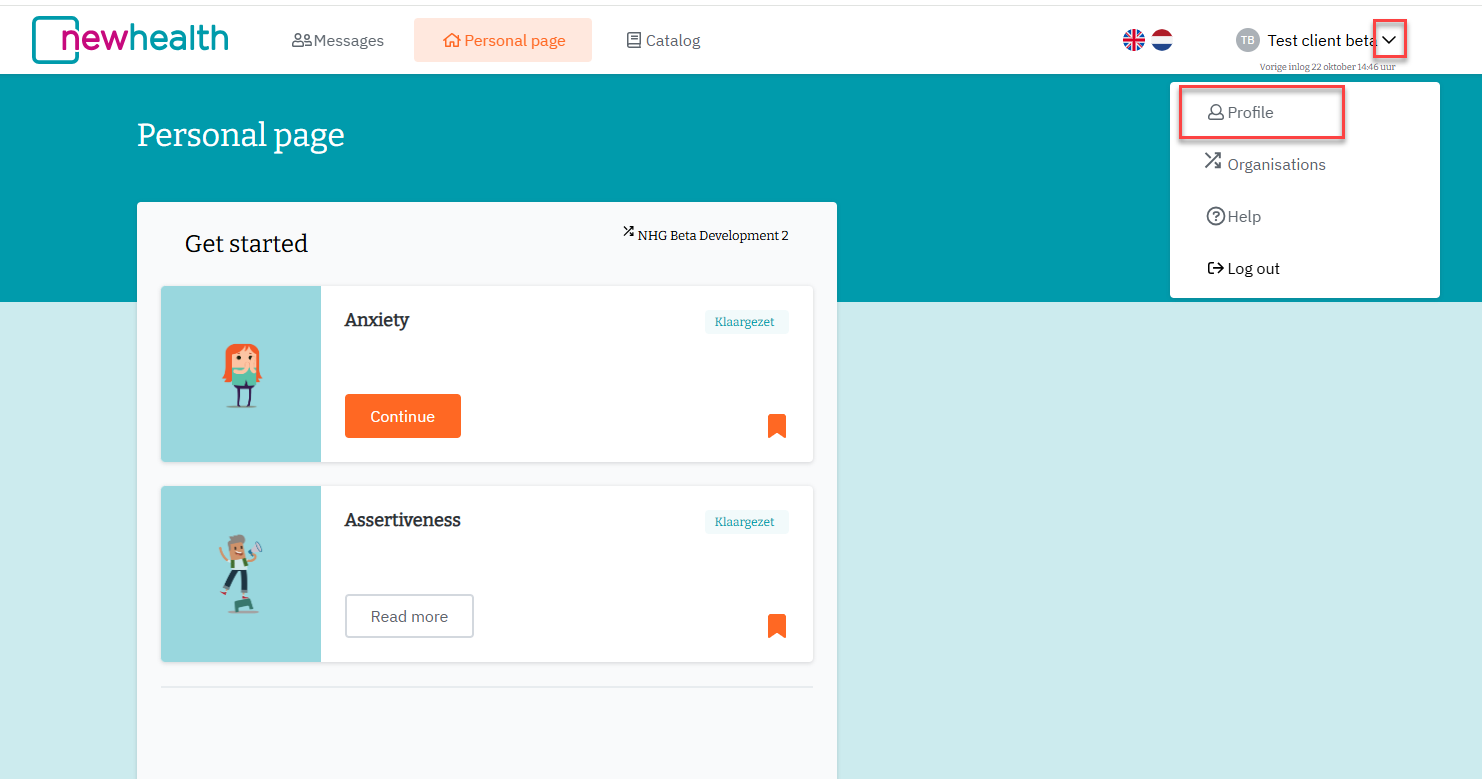
To change your email address, you must first log in. Once logged in, click on your name in the top right corner and then click on Profile.
2.
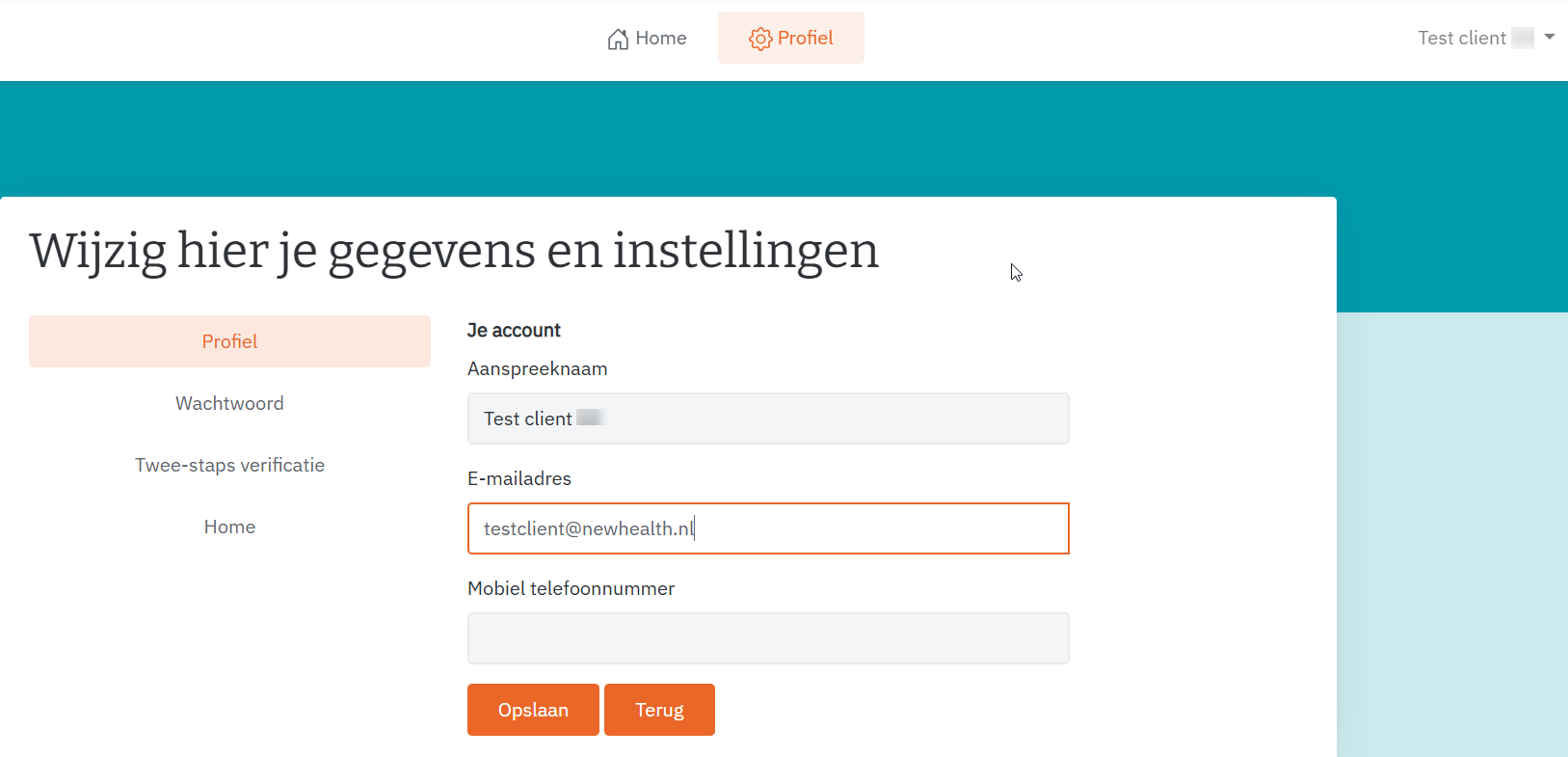
A new tab will open where you can change your email address.
Delete the email address currently entered and enter your 'new' email address. Then click 'Opslaan (= save)'.
3.
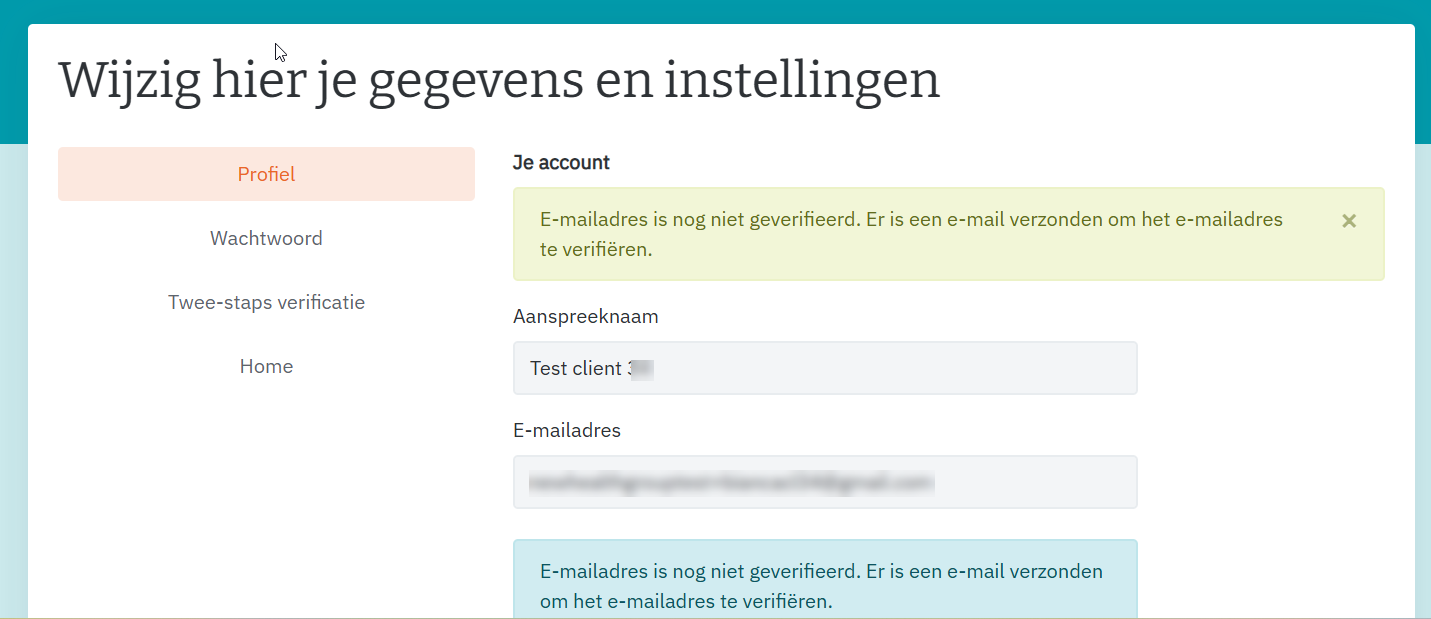
After saving, a green message will appear stating that an email has been sent to the new email address. This new email address must first be verified before you can log in again.
Pagina-einde
4.
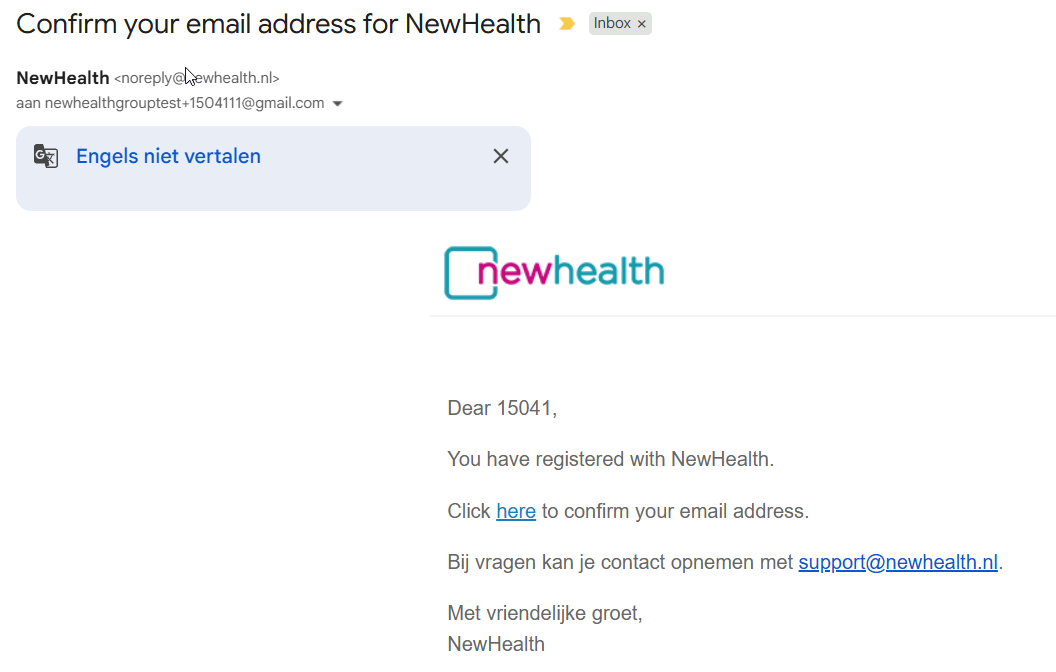
Go to your mailbox, open the email “Confirm your email address for NewHealth” and click on the link 'Click here to confirm your email address'.
5.
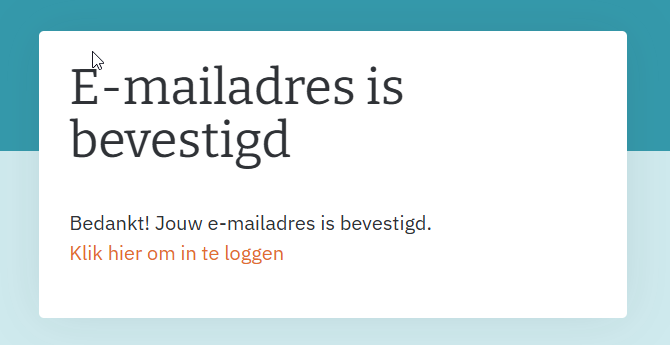
The following message will appear in your browser: You can click on 'Click here to log in'.
Was dit artikel nuttig?
Dat is fantastisch!
Hartelijk dank voor uw beoordeling
Sorry dat we u niet konden helpen
Hartelijk dank voor uw beoordeling
Feedback verzonden
We stellen uw moeite op prijs en zullen proberen het artikel te verbeteren