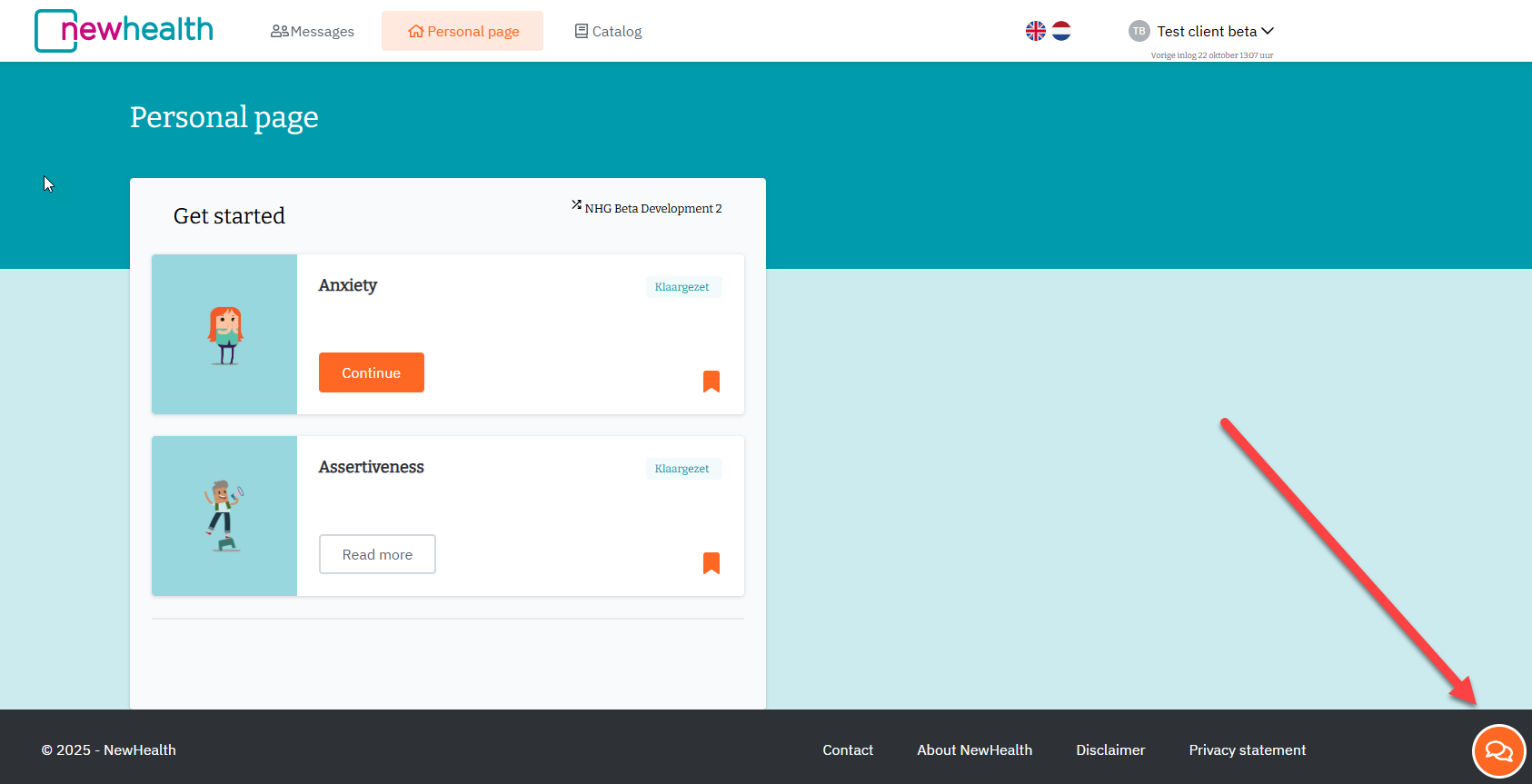
This is only possible if you have a pool chat icon (see bottom right of your screen) at your disposal.
1.
Click on the orange chat icon at the bottom right of your screen:
2.
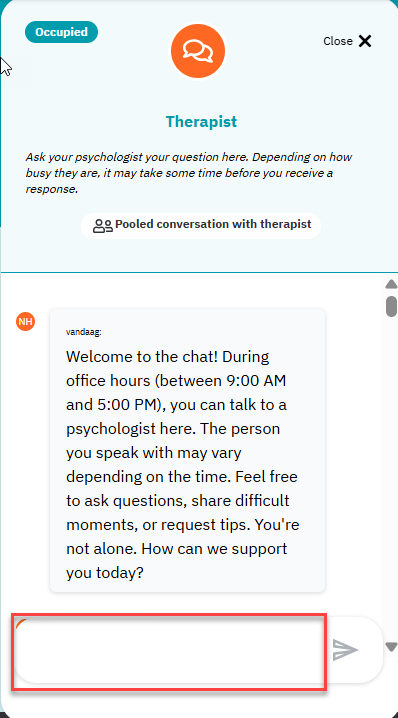
The chat window will open and you can start chatting. The chat window will always remain visible, even when you navigate through your module..
Our therapist are available via chat on working days during office hours (Monday to Friday from 9 a.m. to 5 p.m.). If you send a message, you will receive a response as soon as possible. Sometimes this may take a little longer due to high demand. You can also send a message outside office hours. One of our therapist will respond as soon as possible during office hours.
3.
Place your chat message to your therapist in the text field (see red box) and then click on the arrow on the right to send the message.
Your chat history is saved. If you contact us again via chat and speak to a different therapist, they will be able to see what you discussed last time. This means you don't have to repeat your story.
You can use the chat if you...
- You want to share a story and need professional support.
- You have a specific problem and don't know how to deal with it, such as a conflict at work or an argument at home.
- You don't know where to start with the range of modules on offer. Which module or exercise suits you best?
- You have questions about the content of a module. What exactly does an exercise involve? Have you understood it correctly?
The chat is not suitable...
- If you require immediate/urgent assistance, please contact your general therapist or their replacement.
- For practical questions about how the platform works, please contact our support department. You can send an email to support@newhealth.nl or call 085-489 8999 directly.
Was dit artikel nuttig?
Dat is fantastisch!
Hartelijk dank voor uw beoordeling
Sorry dat we u niet konden helpen
Hartelijk dank voor uw beoordeling
Feedback verzonden
We stellen uw moeite op prijs en zullen proberen het artikel te verbeteren