Possible only if you have a Message Box at your disposal. (see link in the top bar)
1.
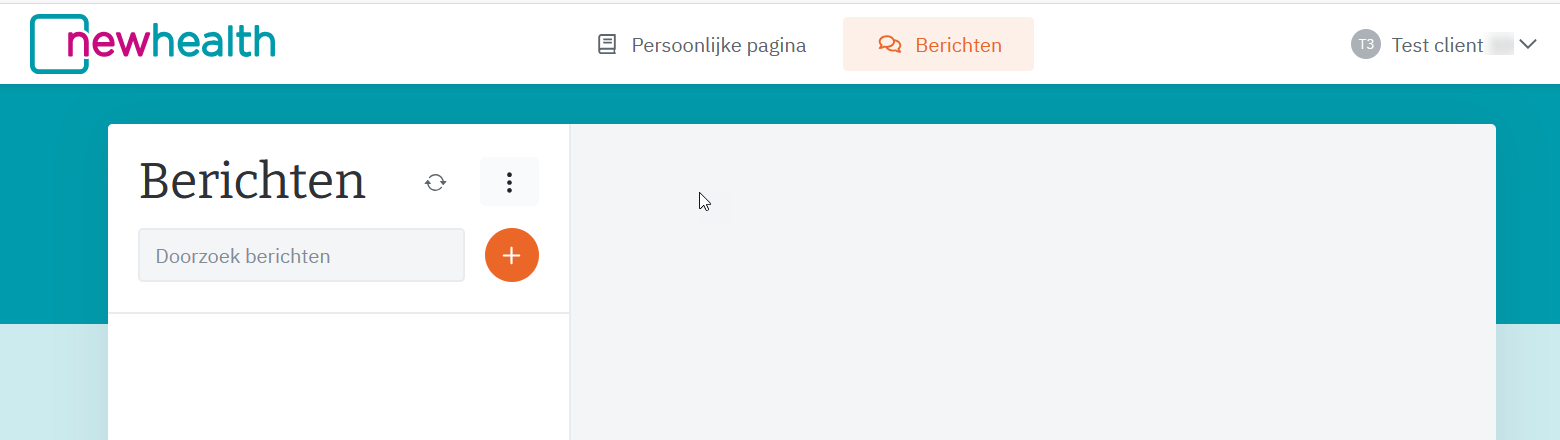
Click on 'Messages' in the top bar:

2.
The message box will then become visible.
At present, this message box is only available in Dutch.
When you open it for the first time, you will see an empty message screen or a welcome message from your therapist:
3.
If you want to respond to a message within an existing conversation, use the text box at the bottom:
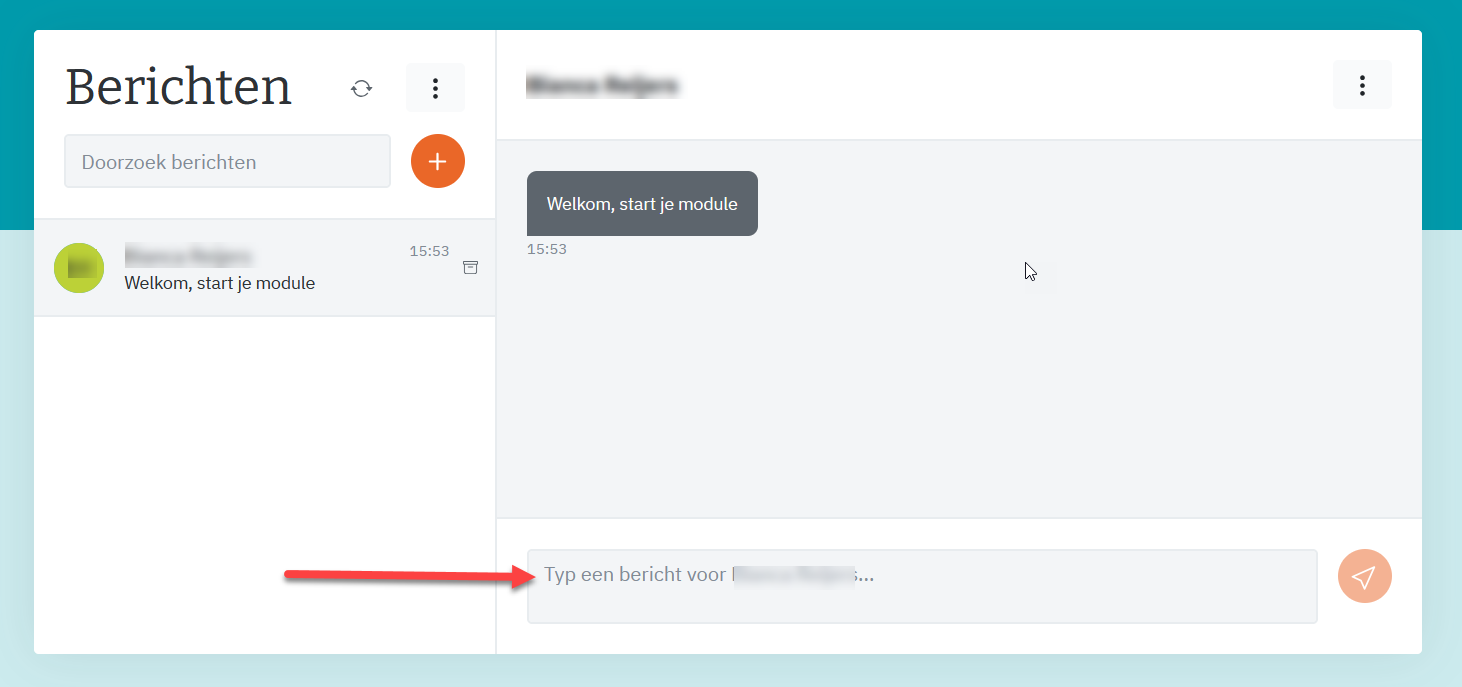
Then click on the arrow to the right of the text box and your message will be displayed within the existing conversation (aligned to the right on an orange background). Your therapist will receive a notification email entitled ‘New message on NewHealth’ containing a link to your message box.
Your therapist's response will be displayed on a black background, aligned to the left, during the same conversation. When your therapist responds, you, as the client, will receive a notification email stating “New message on NewHealth”.
4.
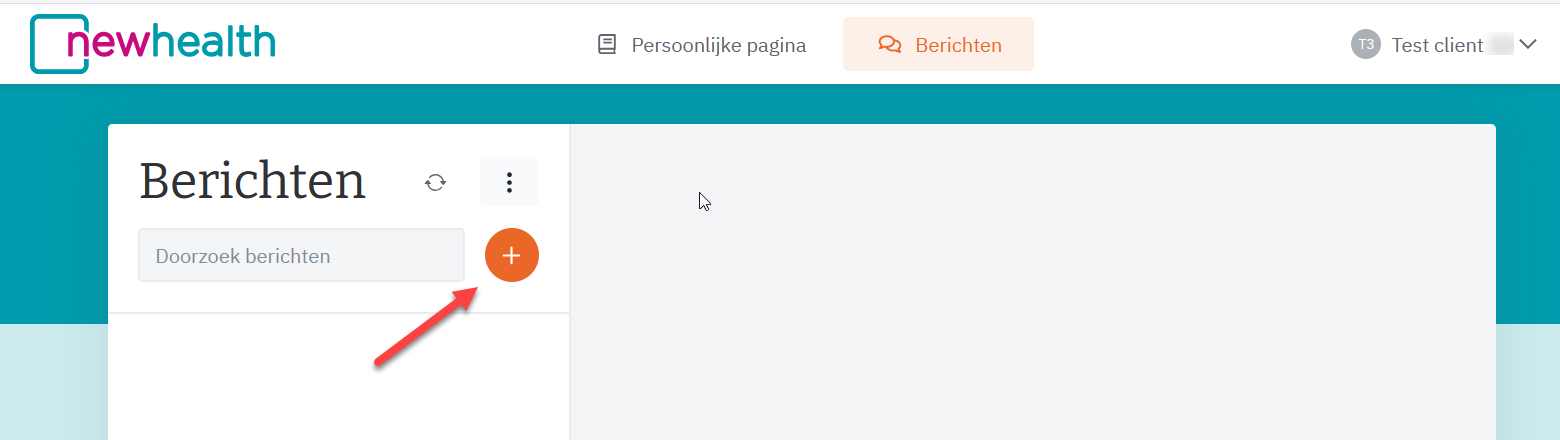
If you would like to start a new conversation, click on the 'orange plus sign' in the message box:
5.
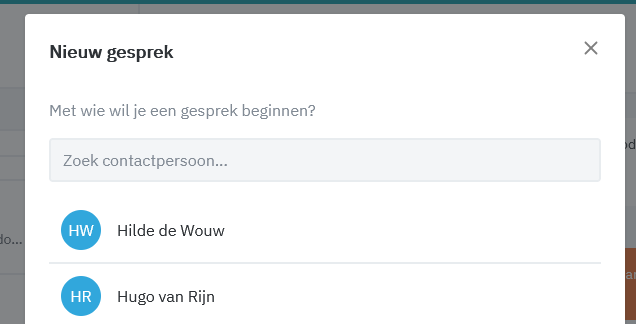
In the pop-up, click on the name of your therapist to start a new conversation:
6.
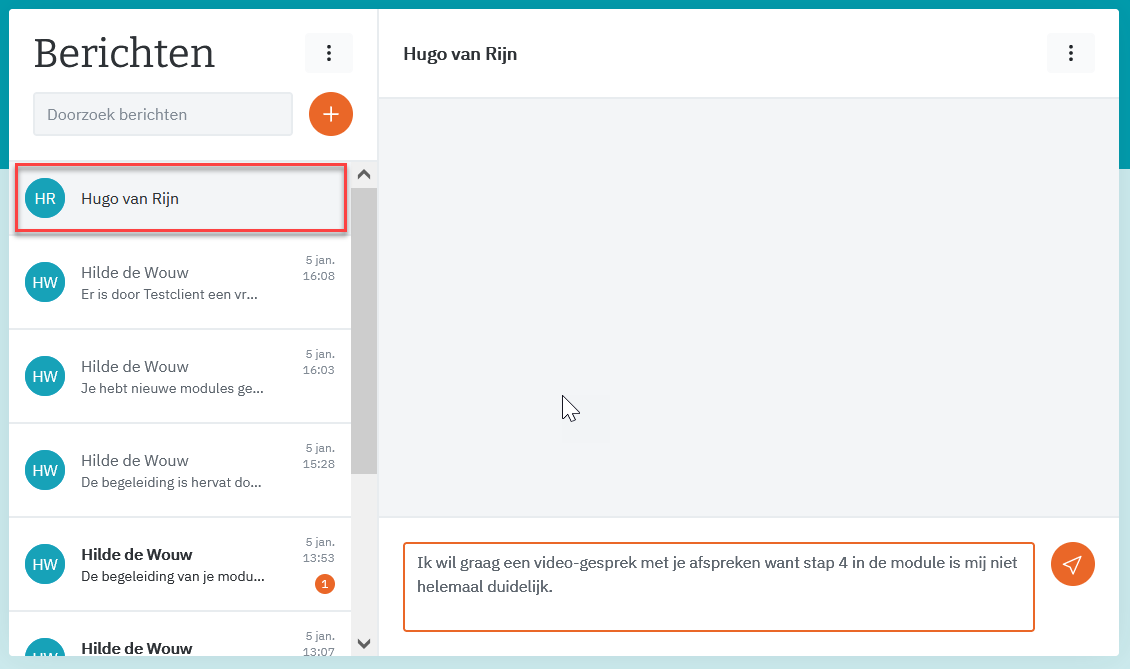
You can enter the text in the text field at the bottom right of the page and click on the orange arrow to send it. A new conversation has already been created in the left margin:
7.
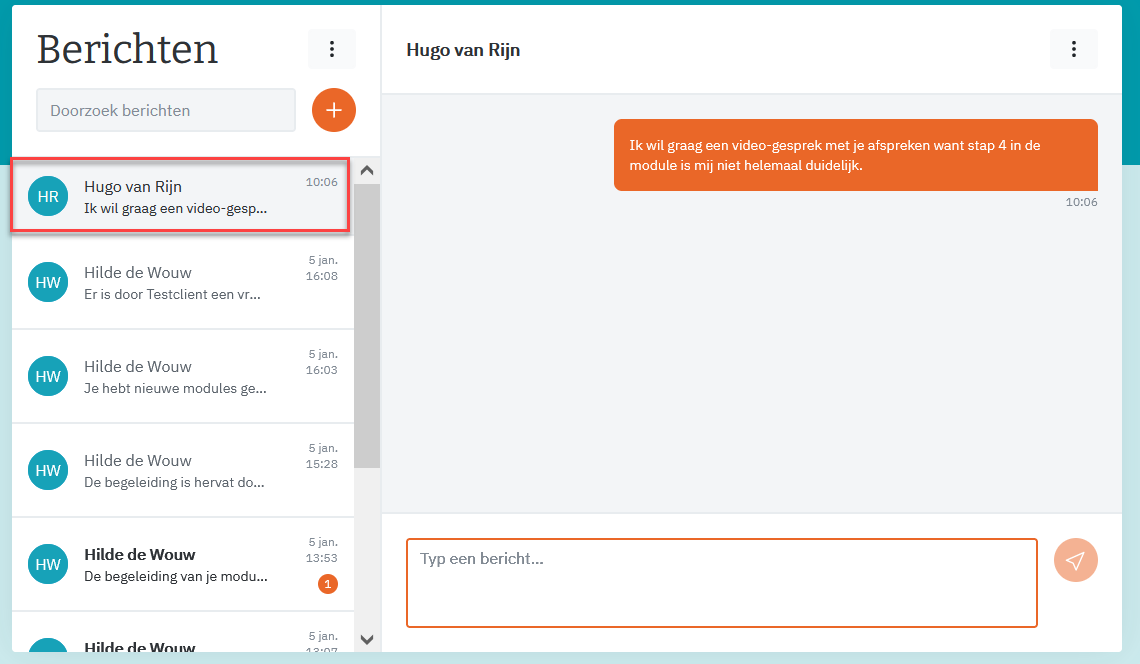
After sending the message, you will see the first words of the message you just sent on the left:
Your therapist will also receive a notification email entitled ‘New message on NewHealth’ containing a link to the new conversation in your message box.
Was dit artikel nuttig?
Dat is fantastisch!
Hartelijk dank voor uw beoordeling
Sorry dat we u niet konden helpen
Hartelijk dank voor uw beoordeling
Feedback verzonden
We stellen uw moeite op prijs en zullen proberen het artikel te verbeteren