1.
To create a password, you must first log in using a login link (because you do not have a password yet). Or you are logging in for the first time because you have just registered.
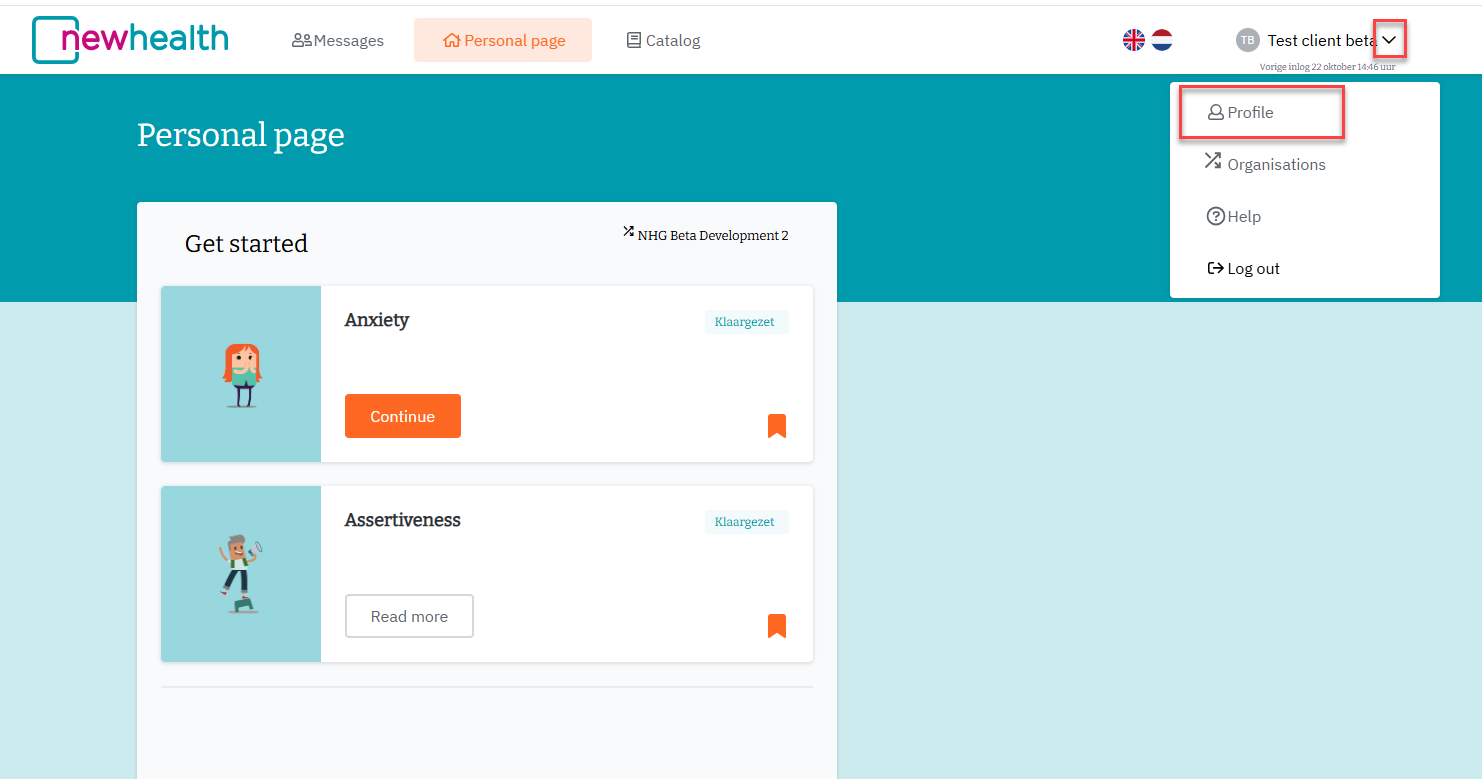
Once you are logged in, click on your name in the top right corner and then on 'Profile'.
2.
A new tab opens, in which the 'Profile' tab is always selected. At present, this profile-page box is only available in Dutch.
3.
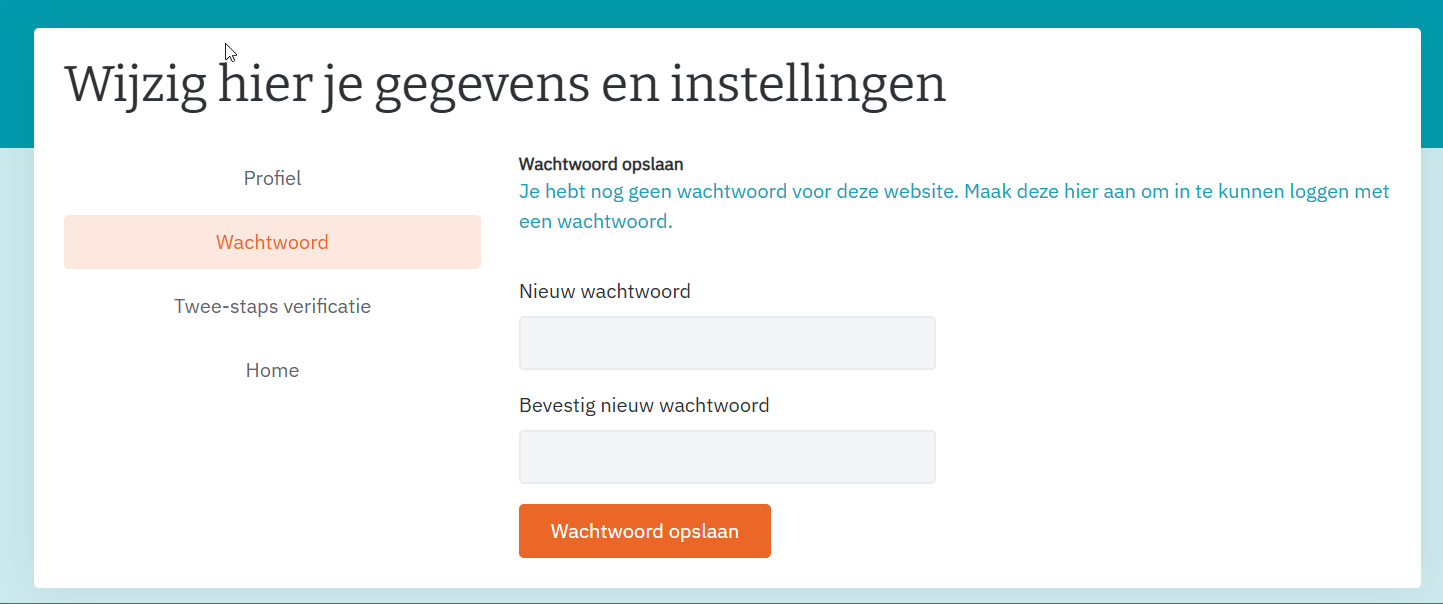
Switch to the ‘Wachtwoord (= password)’ tab:
4.
Enter the same password twice. Then click on 'Wachtwoord opslaan' (= save).
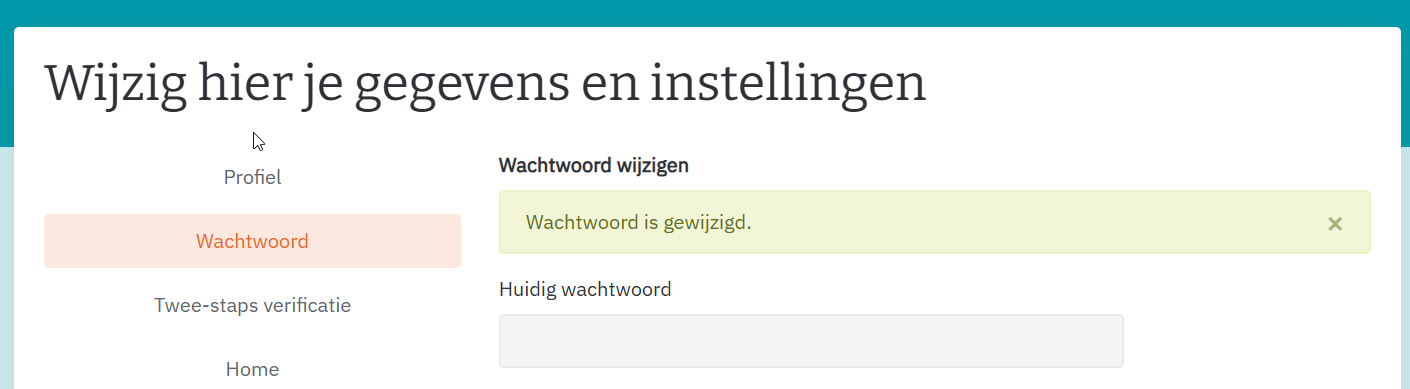
The green message confirms that your password has been saved.
5.
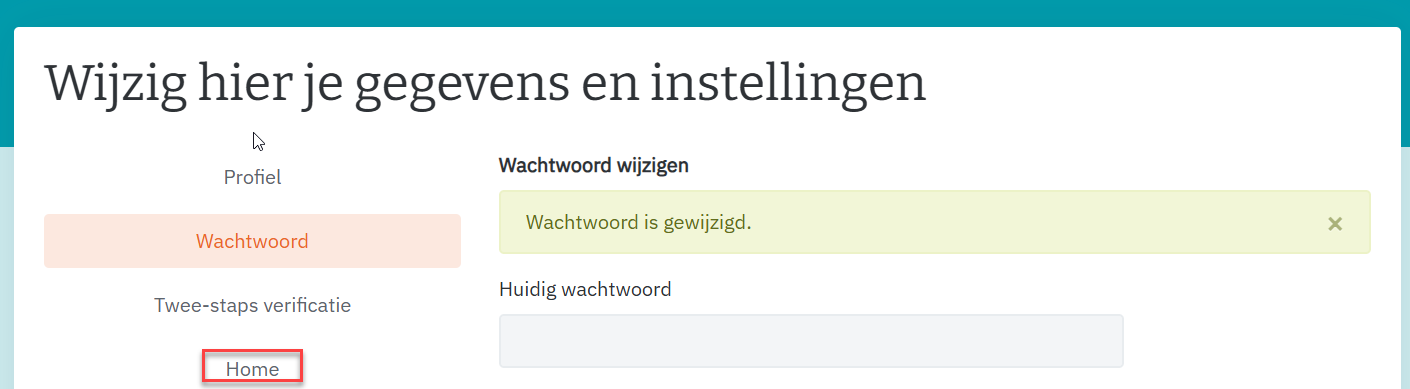
The 'Home' button allows you to exit the 'Profile' and return to the application.
Next time, you can log in using this password. It is always possible (in addition to using your password) to send yourself a login link from the login page. https://modules.newhealth.nl/
Was dit artikel nuttig?
Dat is fantastisch!
Hartelijk dank voor uw beoordeling
Sorry dat we u niet konden helpen
Hartelijk dank voor uw beoordeling
Feedback verzonden
We stellen uw moeite op prijs en zullen proberen het artikel te verbeteren